You rely on your car to get around, and a sudden check engine light can cost you time and money if you do not have the right tool to diagnose it. The best OBD2 scanner for you depends on whether you only need basic engine-code reading, want phone-based enhanced diagnostics, or need full-system scans and bidirectional testing.
This guide compares three OBD2 scanners that fit those different needs, with clear compatibility cautions so you can choose a tool that matches your vehicle and skill level.
Affiliate disclosure: This roundup contains Amazon affiliate links. If you buy through a qualifying link, we may earn a commission at no extra cost to you.
Quick Verdict
TOPDON ArtiDiag Pro is the strongest choice here for advanced diagnostics and active testing. BlueDriver is the easiest fit for readers who want Bluetooth diagnostics on a phone. MOTOpower MP69033 is the simplest low-cost choice for engine codes, live data, and emissions-readiness checks.
Top Picks
|
Category |
Product |
Best For |
|---|---|---|
|
🏆 Best Overall |
Full-system diagnostics and active tests |
|
|
🎯 Best Bluetooth |
Phone-based diagnostics and reports |
|
|
💵 Best Budget |
Basic engine and emissions diagnostics |
How We Chose These OBD2 Scanners
You need a scanner that matches both your vehicle and the depth of work you plan to do. Compatibility comes first: basic OBD2 engine functions are not the same as enhanced access to ABS, SRS, transmission, TPMS, or other manufacturer-specific systems. Vehicle year, make, model, engine, and market can all affect coverage.
We also compared live data, readiness-monitor access, interface type, portability, enhanced-system coverage, bidirectional testing, service functions, and software requirements. More capability is not automatically better value, so the right choice is the least complicated scanner that reliably covers the systems you actually need.
Before You Buy
- Confirm the scanner supports your exact year, make, model, engine, and region.
- Do not assume “OBD2 compatible” means ABS, SRS, transmission, TPMS, or bidirectional support.
- Check whether advanced functions require an app, account, internet connection, activation, or model-specific coverage.
- If you only need check-engine codes and emissions readiness, a basic wired reader may be enough.
TOPDON ArtiDiag Pro

The TOPDON ArtiDiag Pro is the most capable option in this roundup for readers who need more than basic code reading. It is designed for full-system diagnostics, live data, service functions, and bidirectional tests that can command supported components during troubleshooting.
ECU coding and special functions are vehicle-dependent, so do not assume every advertised advanced function works on every make and model. TOPDON also has more than one ArtiDiag Pro hardware/package version in circulation, so confirm current seller details and vehicle coverage before ordering.
Buyer Feedback Snapshot
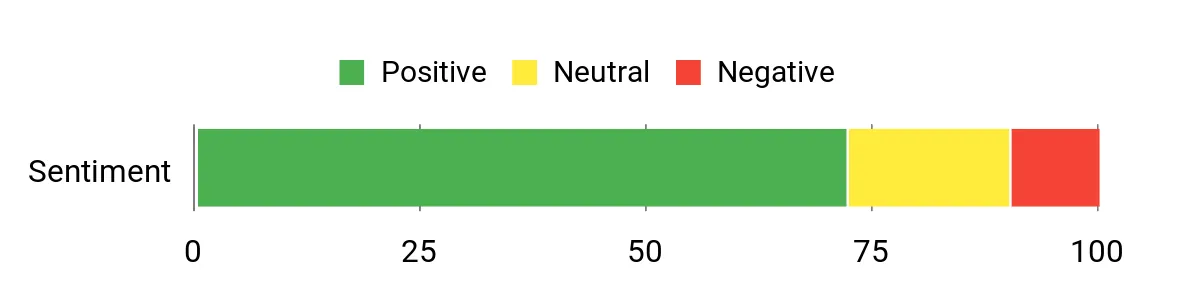
Overall buyer sentiment is generally positive. Use the chart as a general snapshot rather than a current marketplace rating, and check recent verified reviews for the latest ownership feedback.
Overall Sentiment: Positive
Ease Of Use
|
Feature |
Ease Level |
|---|---|
|
Setup & Updates |
Moderate |
|
All-System Scans |
Moderate |
|
Bi-Directional Tests |
Moderate |
|
ECU Coding |
Advanced |
|
UI & Navigation |
Easy |
Versatility
This is the best fit here for experienced DIYers, multi-vehicle households, and light professional use where full-system scanning and active tests can save diagnostic time. It is more tool than you need if your only goal is reading a check-engine code.
Why You’ll Like It
- Full-system diagnostic access on supported vehicles
- Bidirectional control for supported active tests
- Multiple service functions for maintenance and repair workflows
- Tablet-style interface for deeper diagnostics and live-data review
Who Should Avoid It
Skip this model if you only need basic emissions codes or want the simplest plug-in tool. Advanced functions can vary by vehicle, and the extra capability adds setup and learning time.
Check Current Amazon Availability
BlueDriver

BlueDriver is the easiest choice here if you prefer to diagnose from a phone instead of carrying a dedicated handheld scanner. It connects by Bluetooth to iOS or Android and can provide standard OBD2 functions, live data, repair information, and enhanced code access where the vehicle is supported.
The important limitation is coverage: enhanced diagnostics such as ABS, airbag/SRS, transmission, or other system access depend on the exact vehicle. Check BlueDriver’s compatibility information before buying if you need anything beyond standard OBD2 engine and emissions functions.
Buyer Feedback Snapshot
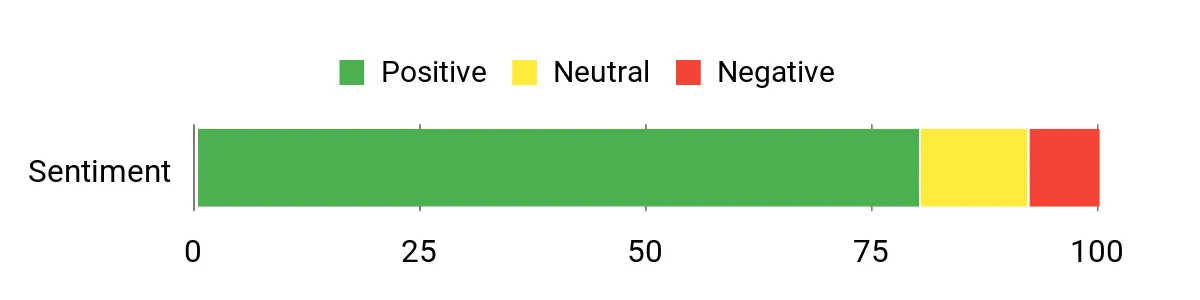
Overall buyer sentiment is generally positive. Treat the chart below as a general snapshot and check recent verified reviews for current feedback on app behavior, phone compatibility, and vehicle coverage.
Overall Sentiment: Positive
Ease Of Use
|
Feature |
Ease Level |
|---|---|
|
Setup & Pairing |
Easy |
|
App Interface |
Easy |
|
Reading Codes |
Easy |
|
Live Data |
Moderate |
|
Enhanced Diagnostics |
Moderate |
Versatility
BlueDriver fits everyday troubleshooting, pre-purchase checks, readiness checks, and mobile live-data monitoring. It is especially attractive if you already use your phone for maintenance records and prefer app-based reports over navigating a small handheld screen.
Why You’ll Like It
- Bluetooth connection to supported iOS and Android devices
- Live data and standard OBD2 diagnostic functions
- Enhanced code access on supported vehicles
- No subscription required for core BlueDriver features
Who Should Avoid It
Choose another tool if you do not want to depend on a phone or if you need bidirectional controls, broad service resets, or ECU coding. Those are better suited to a more advanced tablet-style scanner.
Check Current Amazon Availability
MOTOpower MP69033

The MOTOpower MP69033 is the straightforward option for readers who mainly want to read and clear engine-related trouble codes, view supported live data, retrieve basic vehicle information, and check emissions readiness. It is a wired handheld scanner, so there is no phone pairing or separate battery to manage.
Its limits are just as important as its strengths: this is not the pick for ABS, airbag/SRS, transmission diagnostics, bidirectional testing, or ECU coding. If those functions matter, move up to BlueDriver for supported enhanced diagnostics or TOPDON for deeper system access.
Buyer Feedback Snapshot
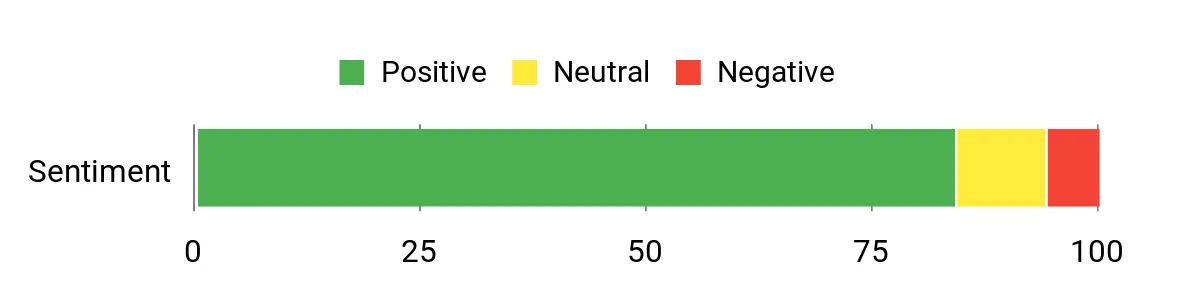
Overall buyer sentiment is generally positive. Use the chart as a broad snapshot, and check recent verified reviews if current screen readability, cable quality, or vehicle-specific behavior matters to you.
Overall Sentiment: Positive
Ease Of Use
|
Feature |
Ease Level |
|---|---|
|
Setup & Connection |
Easy |
|
Reading Codes |
Easy |
|
VIN & Readiness |
Easy |
|
Live Data |
Moderate |
|
Menu Navigation |
Easy |
Versatility
This scanner is best for routine check-engine troubleshooting, emissions-readiness checks, and simple pre-purchase inspections on compatible OBD2 vehicles. Its narrow feature set also makes it easier to learn than a full-system tablet.
Why You’ll Like It
- Simple plug-and-play operation for fast engine-code reads
- Emissions-readiness checks and supported live data
- Vehicle-powered wired design with no app pairing
- Compact form that is easy to store in a vehicle or toolbox
Who Should Avoid It
Skip it if you specifically need ABS, SRS, transmission, service-reset, bidirectional, or coding functions. Those jobs require a scanner with broader vehicle-system access.
Check Current Amazon Availability
FAQ
How Do I Know Which Scanner Works With My Car?
Start by confirming that your vehicle is OBD2 compliant, then check the scanner maker’s coverage information for your exact year, make, model, engine, and market. Standard OBD2 compatibility does not guarantee access to ABS, SRS, transmission, TPMS, service resets, active tests, or coding.
Can I Just Clear A Check Engine Light?
You can clear many stored codes, but clearing a code does not repair the cause. Read and record the code first, inspect relevant live data when available, fix the underlying problem, then clear the code and verify that it does not return. Readiness monitors may need to run again after codes are cleared.
Should I Choose A Handheld Or Bluetooth Scanner?
Choose a wired handheld scanner if you want a self-contained tool with simple menus and no phone pairing. Choose Bluetooth if you prefer app-based reports, easier data viewing, and phone integration. For bidirectional tests, broad service functions, or coding, a more advanced tablet-style scanner is usually the better fit.
Can A Cheap OBD2 Scanner Read ABS Or Airbag Codes?
Not necessarily. Many basic readers focus on standardized engine and emissions functions. ABS, SRS, transmission, TPMS, and other enhanced systems can require model-specific support, so verify those functions before buying.
Do I Need Bidirectional Control?
You usually do not need bidirectional control for basic check-engine troubleshooting. It becomes useful when you want the scanner to command supported components during diagnosis, such as actuators or other vehicle systems, instead of only reading stored data.
Buyer Preferences
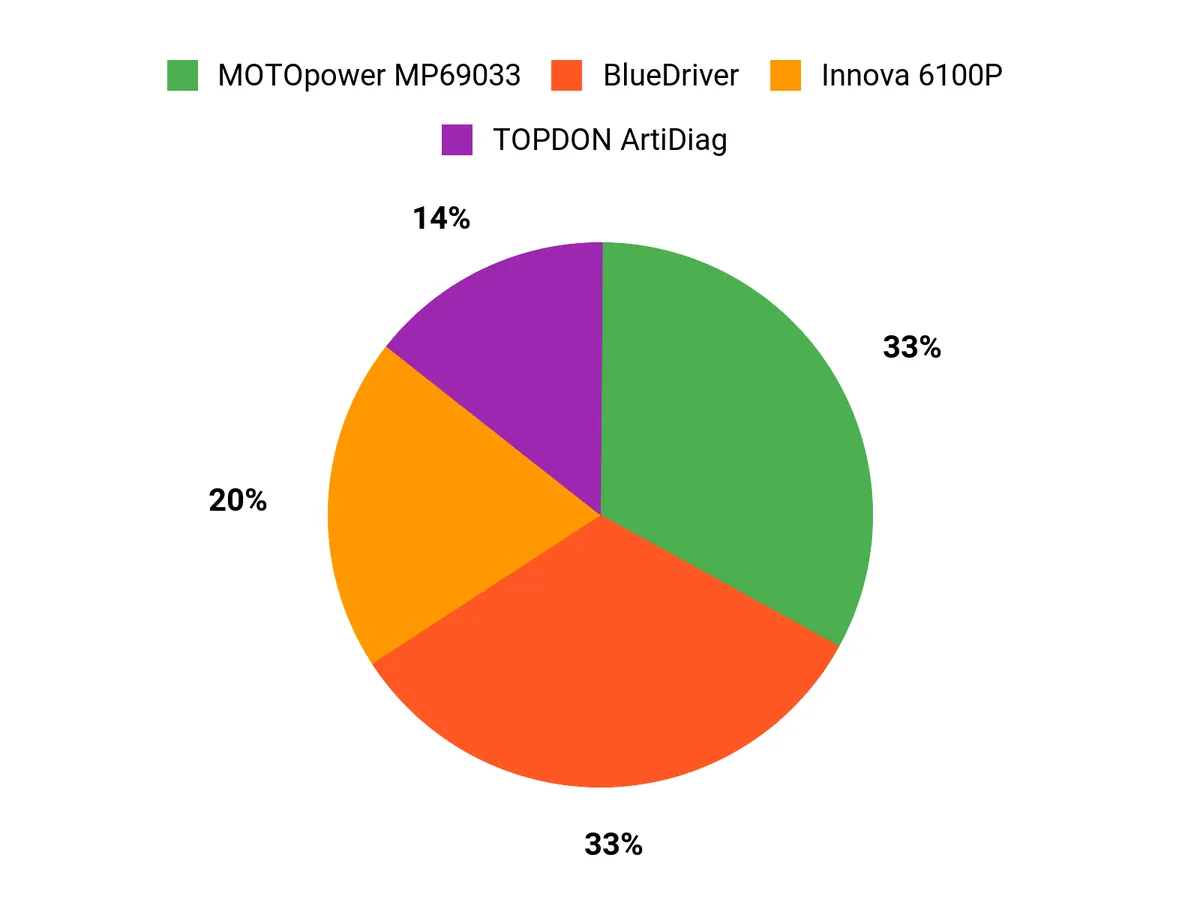
Choose TOPDON ArtiDiag Pro if you regularly diagnose multiple systems and want active tests or service functions. Choose BlueDriver if you want the convenience of a phone-based scanner with enhanced diagnostics on supported vehicles. Choose MOTOpower MP69033 if your priority is simple engine-code reading, live data, and readiness checks without paying for advanced functions you may never use.
Wrapping Up
There is no single OBD2 scanner that is best for every driver. The right choice depends on how deep you want to diagnose and whether you prefer a dedicated tool or a phone-based workflow.
For the broadest diagnostic capability in this group, TOPDON ArtiDiag Pro is the best overall fit. For convenient Bluetooth diagnostics and mobile reports, BlueDriver is the stronger everyday choice. For basic engine and emissions troubleshooting at the simplest level, MOTOpower MP69033 covers the essentials.
Before ordering, confirm vehicle-specific coverage for every advanced function you expect to use. That one step can prevent buying a scanner that reads standard OBD2 codes but cannot access the system you actually need to diagnose.
| Product Name | Image | Best For | Connection / Power | Interface | Key Highlights |
|---|---|---|---|---|---|
| TOPDON ArtiDiag Pro OBD2 Scanner |
|
Advanced DIY and multi-system diagnostics | Rechargeable tablet / wired vehicle connection | Tablet-style display |
|
| BlueDriver Bluetooth Pro OBDII Scan Tool |
|
Phone-based diagnostics | Bluetooth / powered by vehicle OBD2 port | iOS or Android app |
|
| MOTOPOWER MP69033 OBD2 Scanner |
|
Basic engine and emissions checks | Wired / powered by vehicle OBD2 port | Built-in handheld display |
|
This roundup is reader-supported. When you click qualifying Amazon links, we may earn a referral commission at no extra cost to you.